
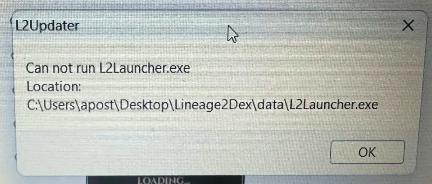
If your launcher does not start and you see an error similar to the one shown on this screen, then your antivirus has likely deleted the launcher files or placed them in quarantine.

You need to add the Lineage2Dex folder, where you placed the launcher, to your antivirus exceptions.
How to add an exception on Windows 11
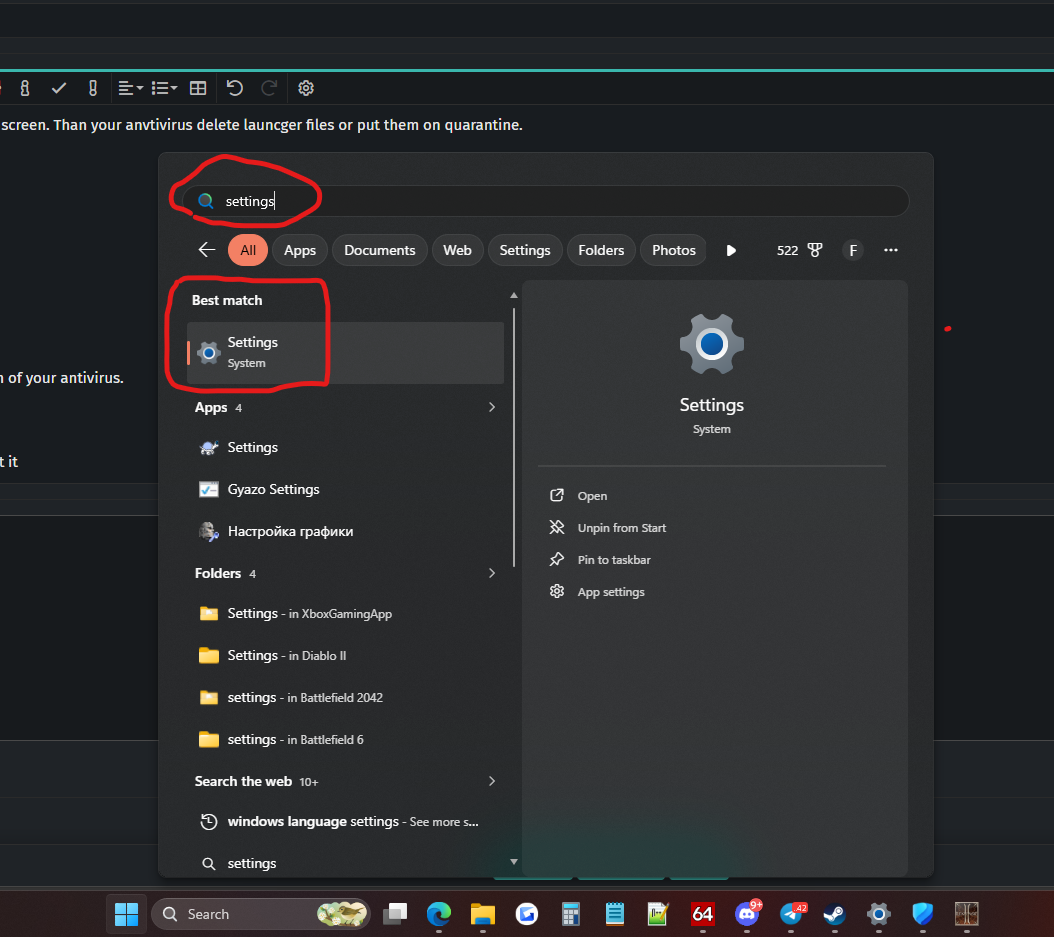
1. Go to Windows Settings — open the Start menu, type "Settings", and open it.

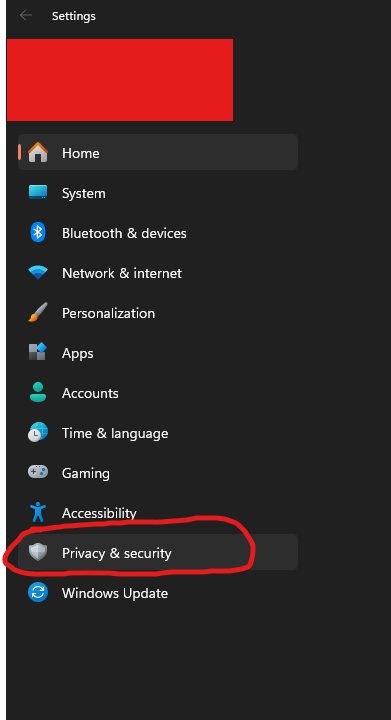
2. On opened windows, choose Privacy & security

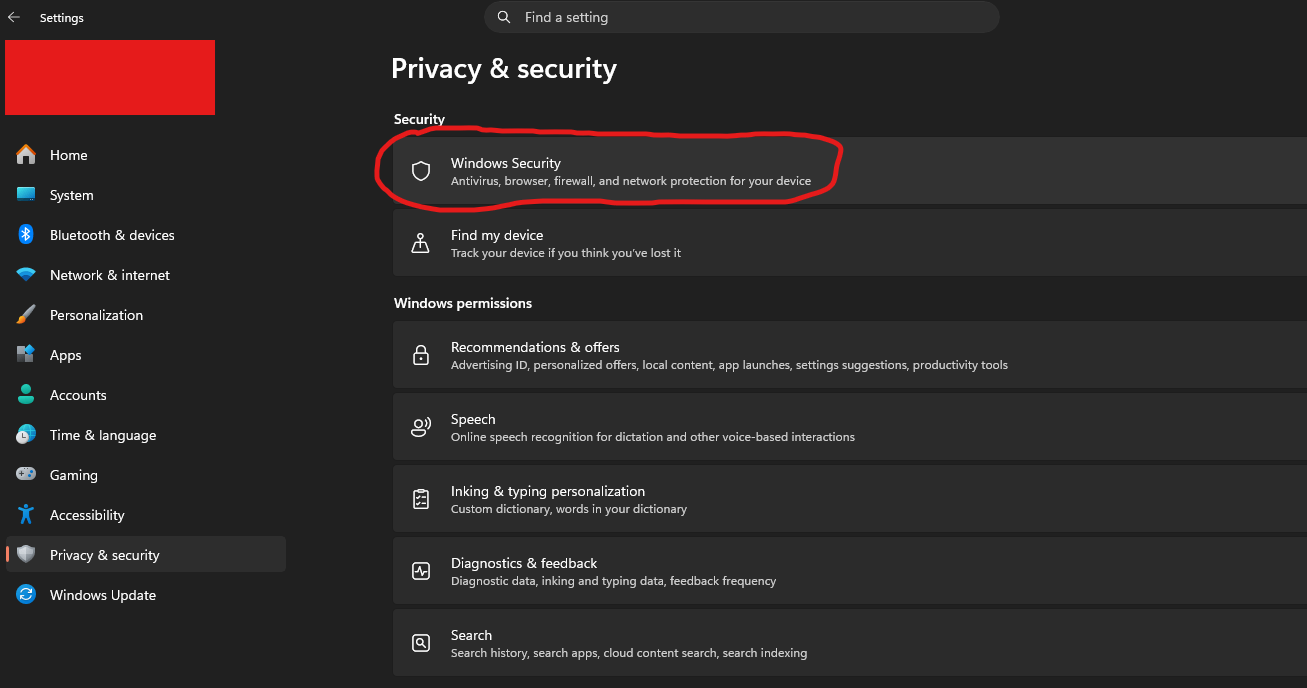
3. Than choose Windows Security

4. Virus & threat protections

5. On new windwos, choose Manage settings how showed on screen below

6. On new window scroll down and press on Add or remove exclusions

7. On new window press on + Add on exclusion, choose Folder and add folder where you have l2 game client or launcher

After that, check if your antivirus has already placed the launcher in quarantine.
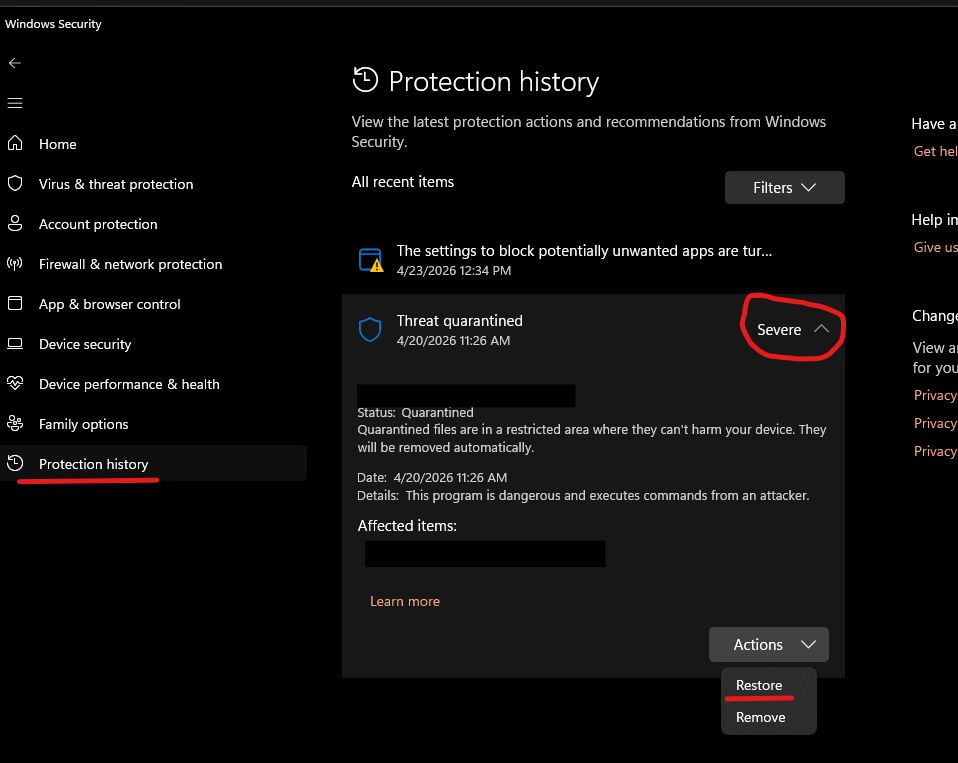
Go to Protection History, and if it’s there, restore it as shown on the screen below.

You will probably need to download the launcher again and place it in the folder you have already added to the exceptions.
Start it, run a full check, and you can play.
If you have any problems, PM me (kazama) on Discord.
You need to add the Lineage2Dex folder, where you placed the launcher, to your antivirus exceptions.
How to add an exception on Windows 11
1. Go to Windows Settings — open the Start menu, type "Settings", and open it.
2. On opened windows, choose Privacy & security
3. Than choose Windows Security
4. Virus & threat protections
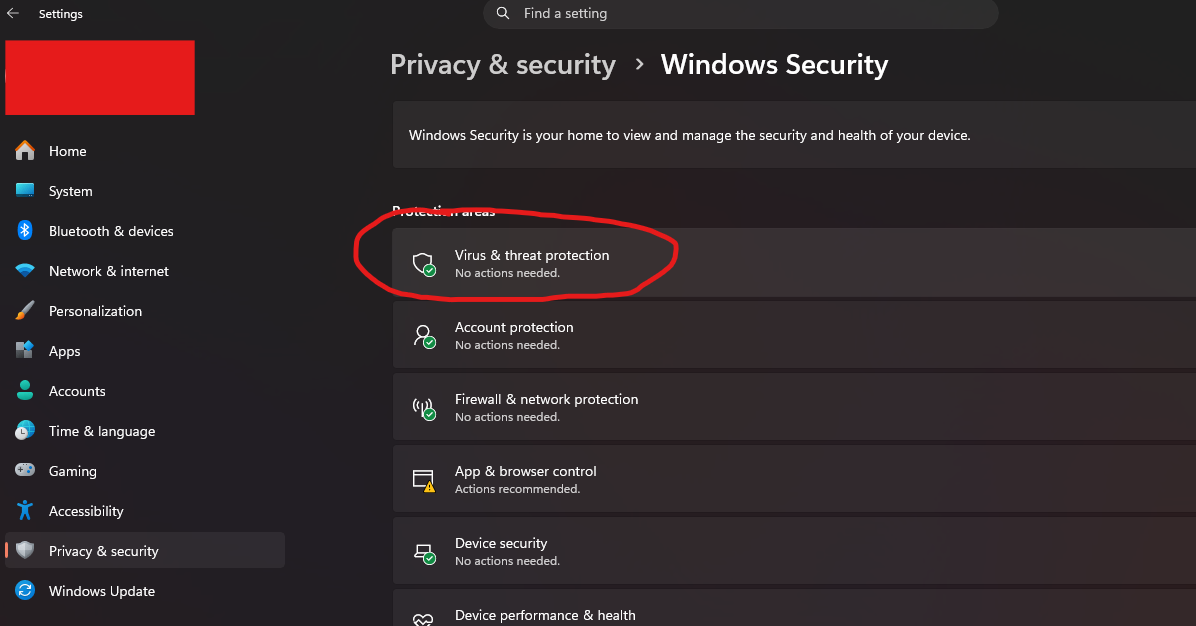
5. On new windwos, choose Manage settings how showed on screen below
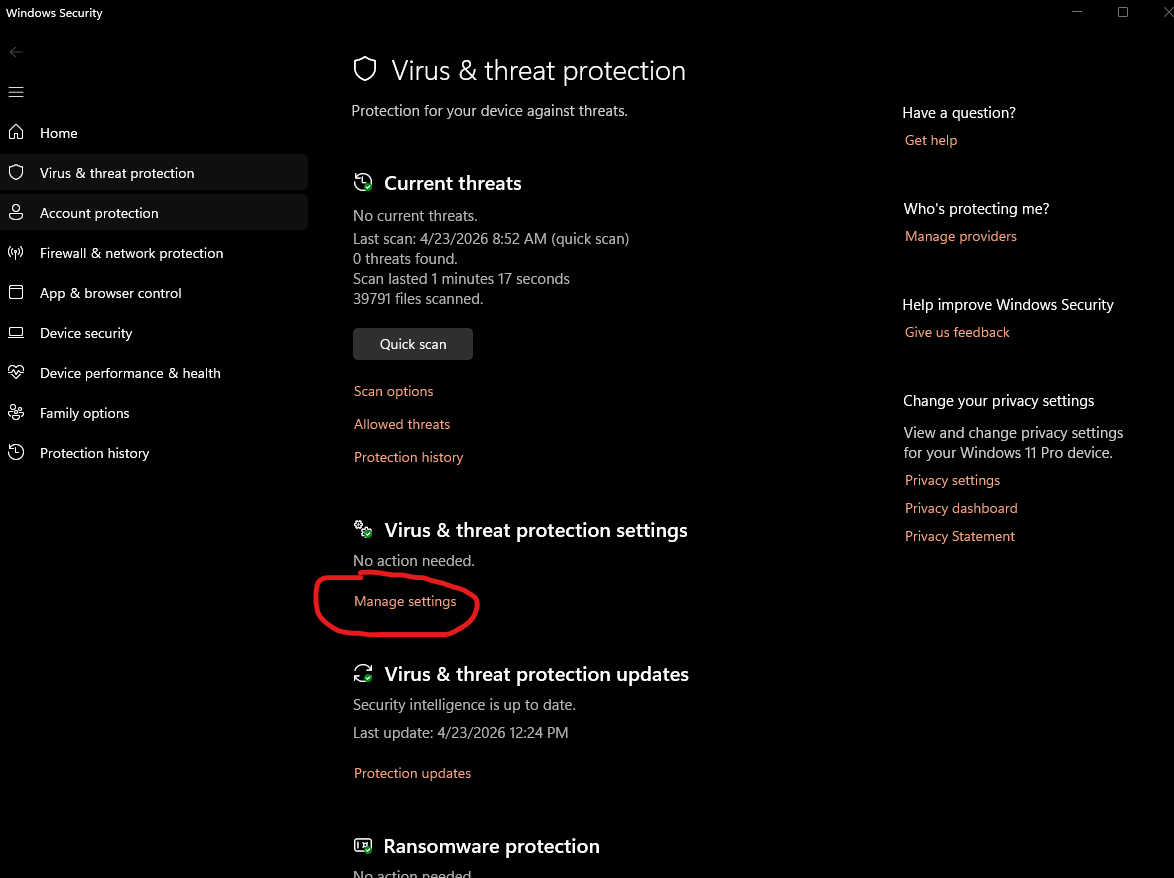
6. On new window scroll down and press on Add or remove exclusions
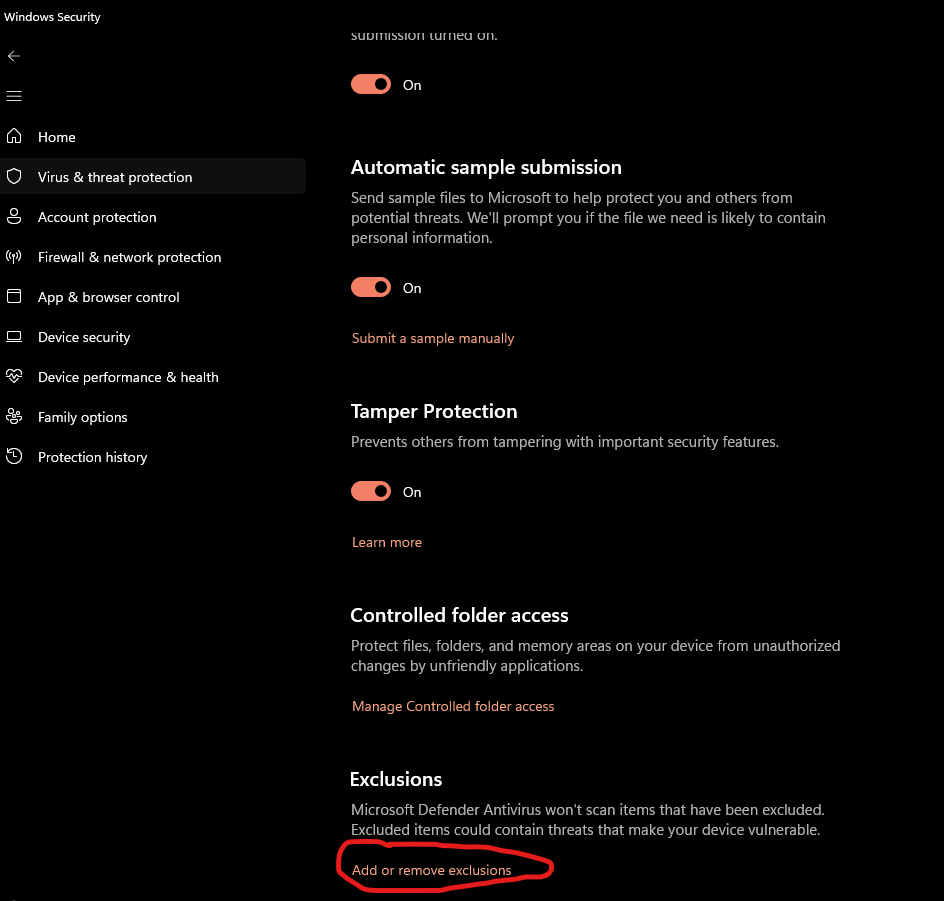
7. On new window press on + Add on exclusion, choose Folder and add folder where you have l2 game client or launcher
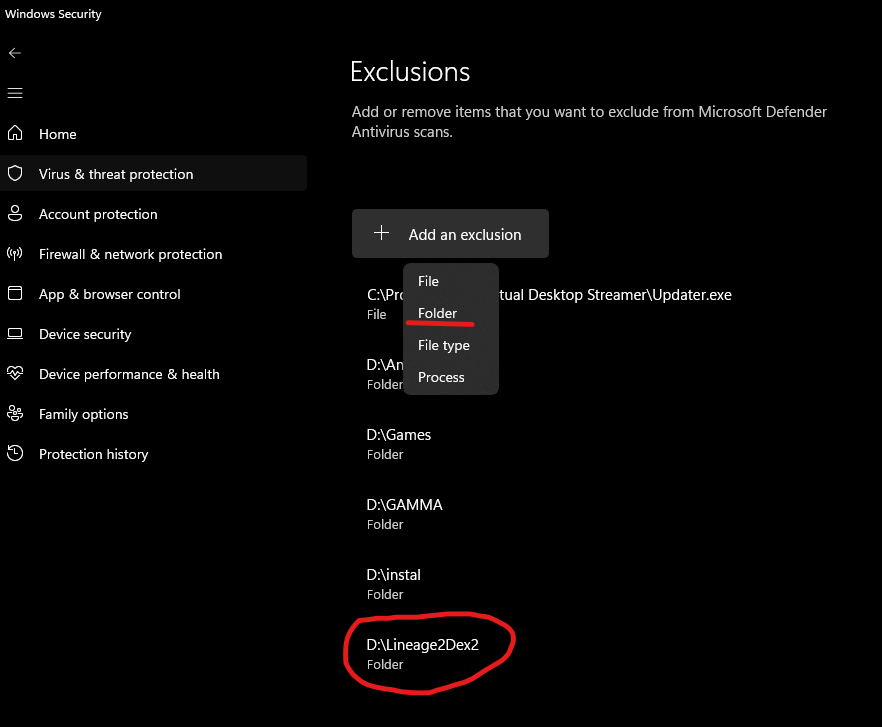
After that, check if your antivirus has already placed the launcher in quarantine.
Go to Protection History, and if it’s there, restore it as shown on the screen below.
You will probably need to download the launcher again and place it in the folder you have already added to the exceptions.
Start it, run a full check, and you can play.
If you have any problems, PM me (kazama) on Discord.
Last edited:
